
Scheduling + messaging + worker map — in one clean dashboard.
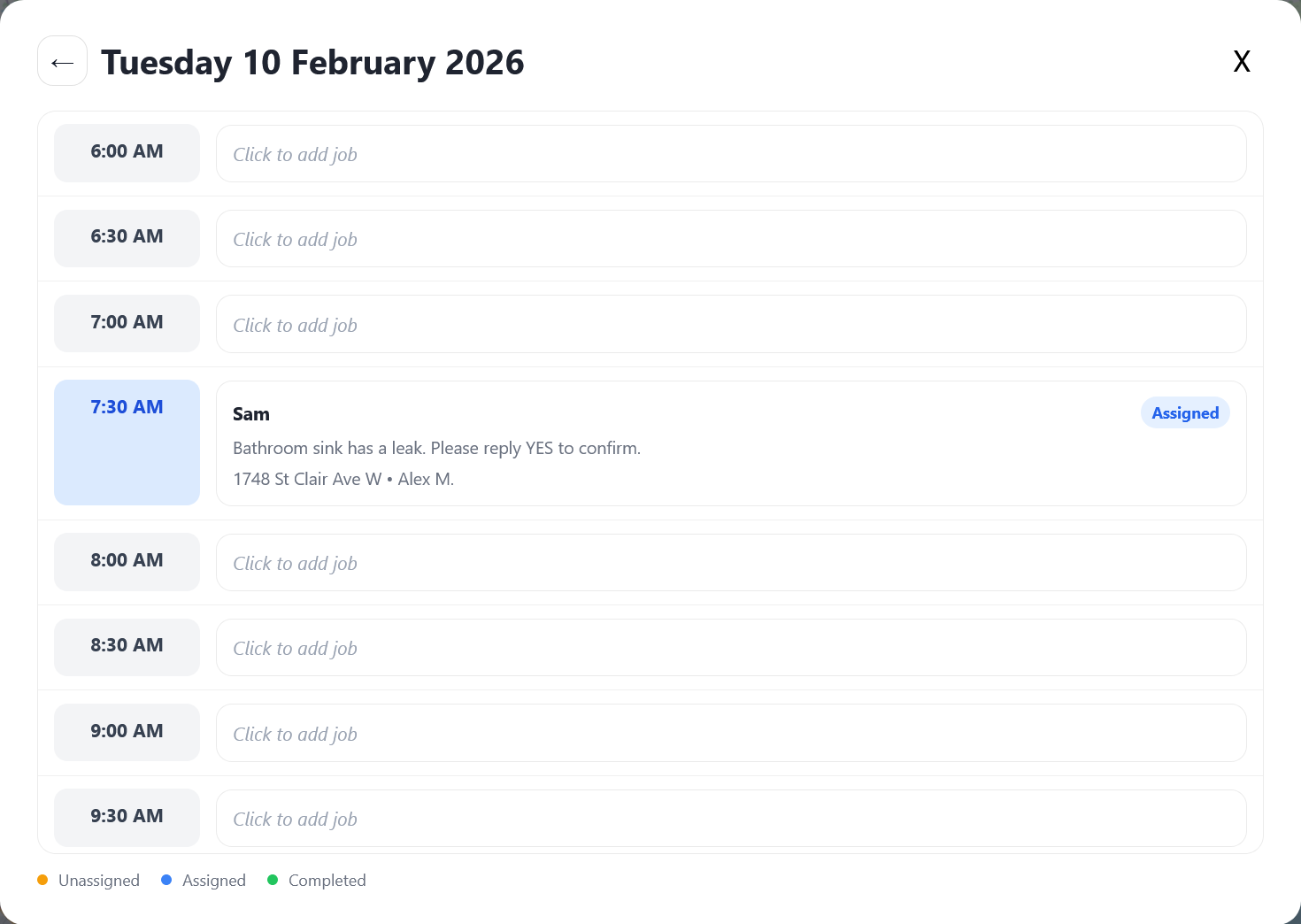
Create a job, assign it to a worker, and send the details by SMS. Track job status and keep a timeline of activity — without the dispatcher juggling calls, notes, and chaos.
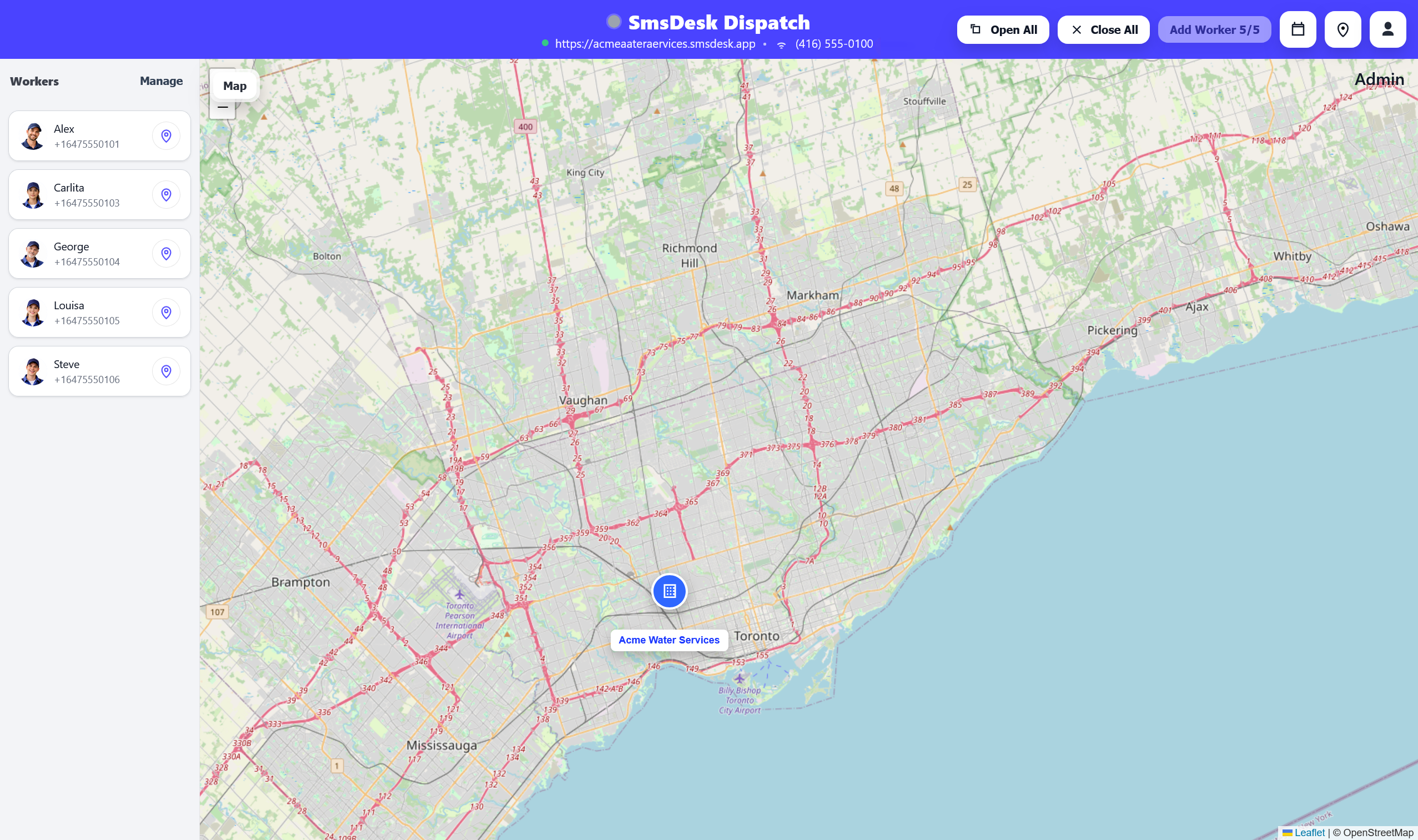
How it works
The dispatcher flow is intentionally simple: create → assign → send → confirm.
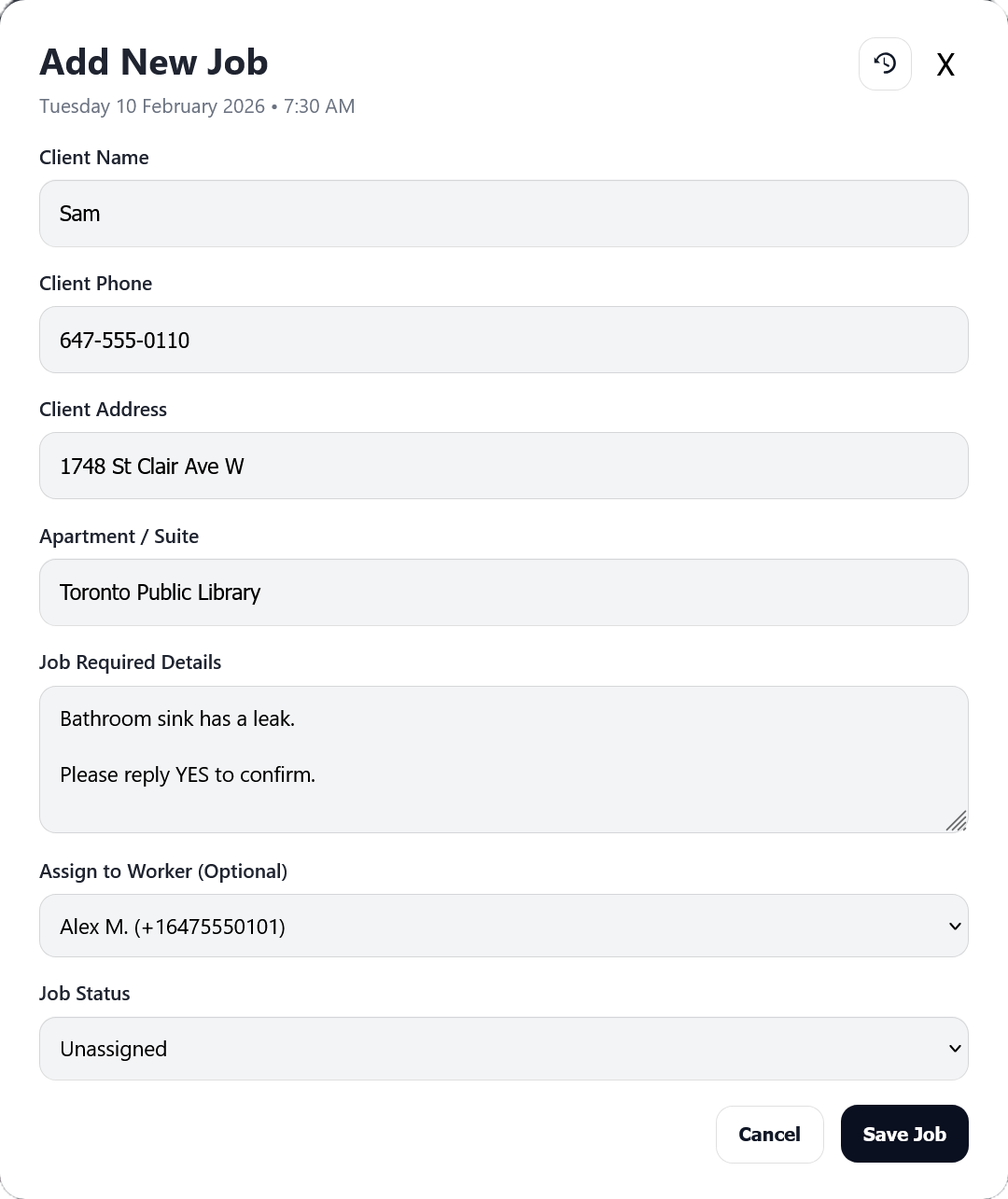
Create a job
Add the client, address, and job details in under a minute.
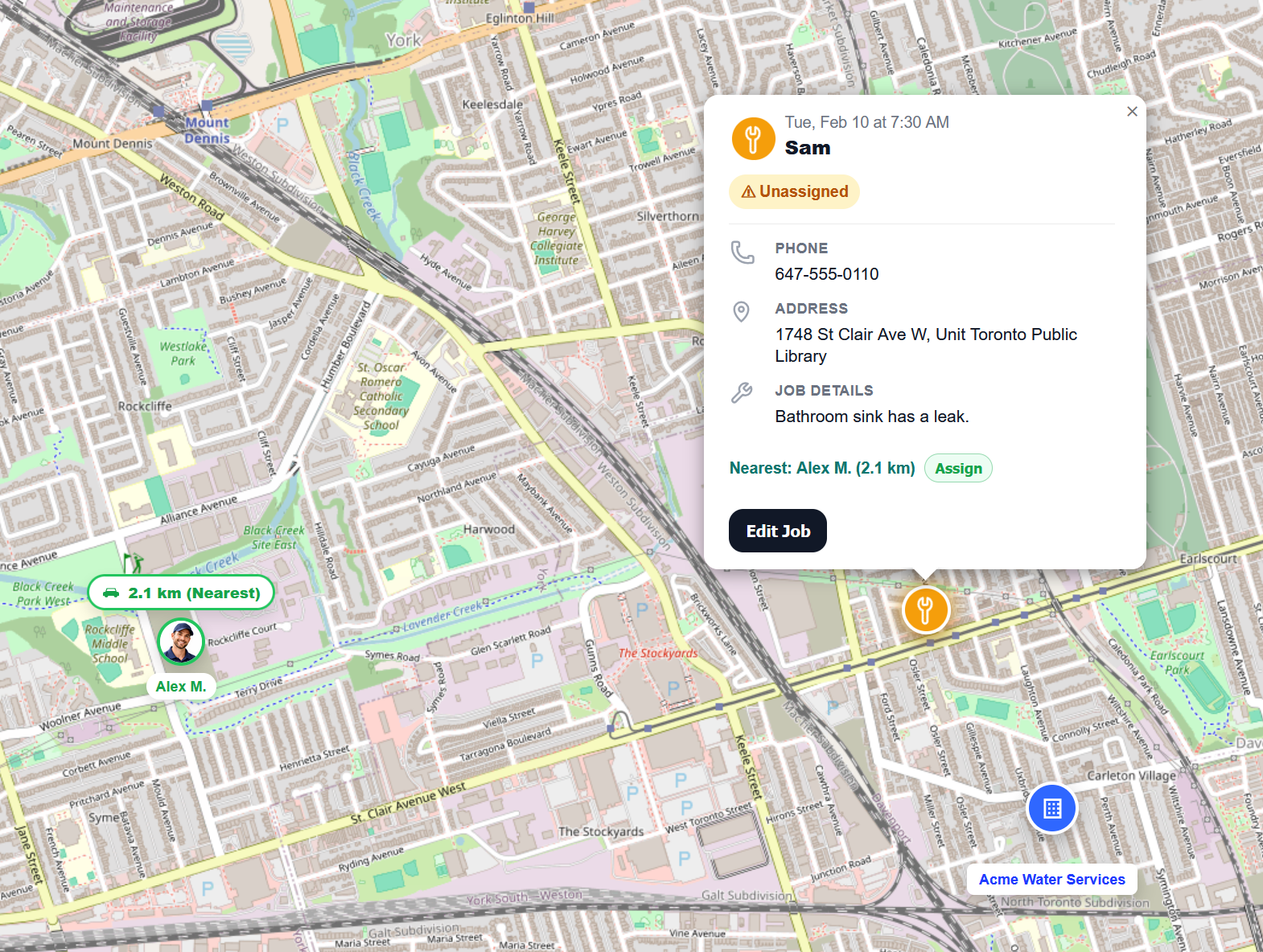
Assign a worker
Pick the nearest (or best) worker and lock in responsibility.
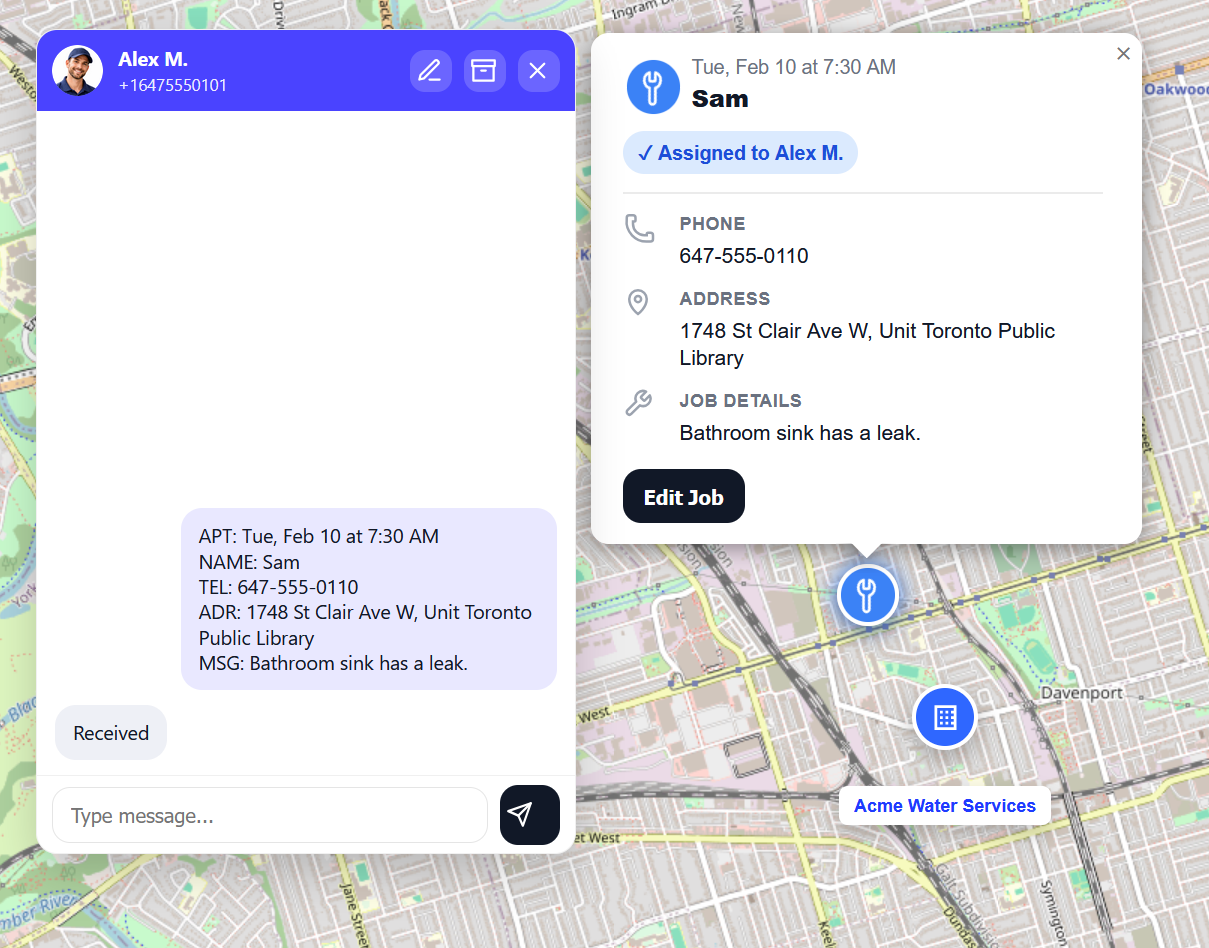
Send by SMS
Worker receives the work order and replies “Received”.
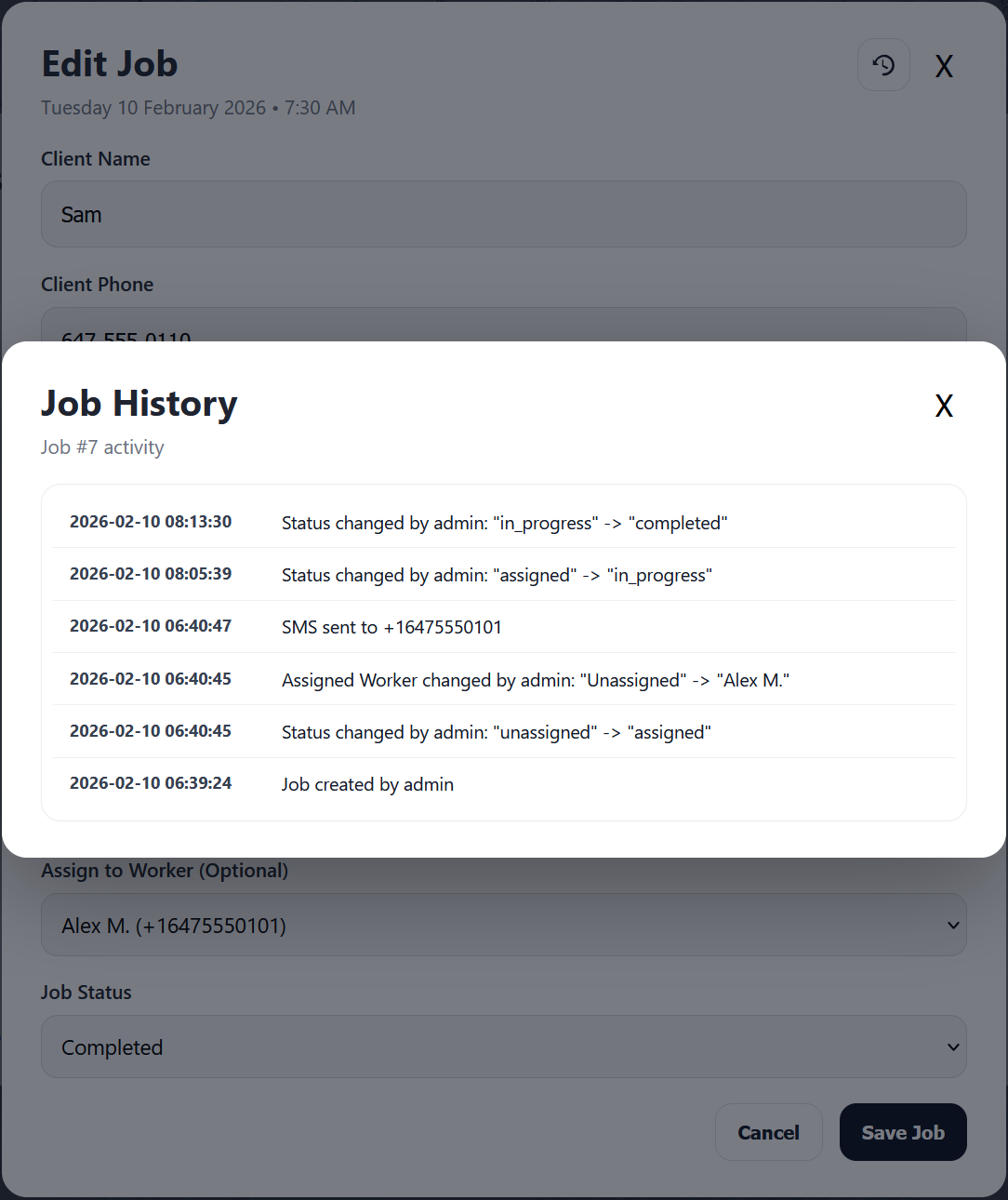
Built-in job history
Every change is logged: created, assigned, SMS sent, and status updates — so you always know what happened.
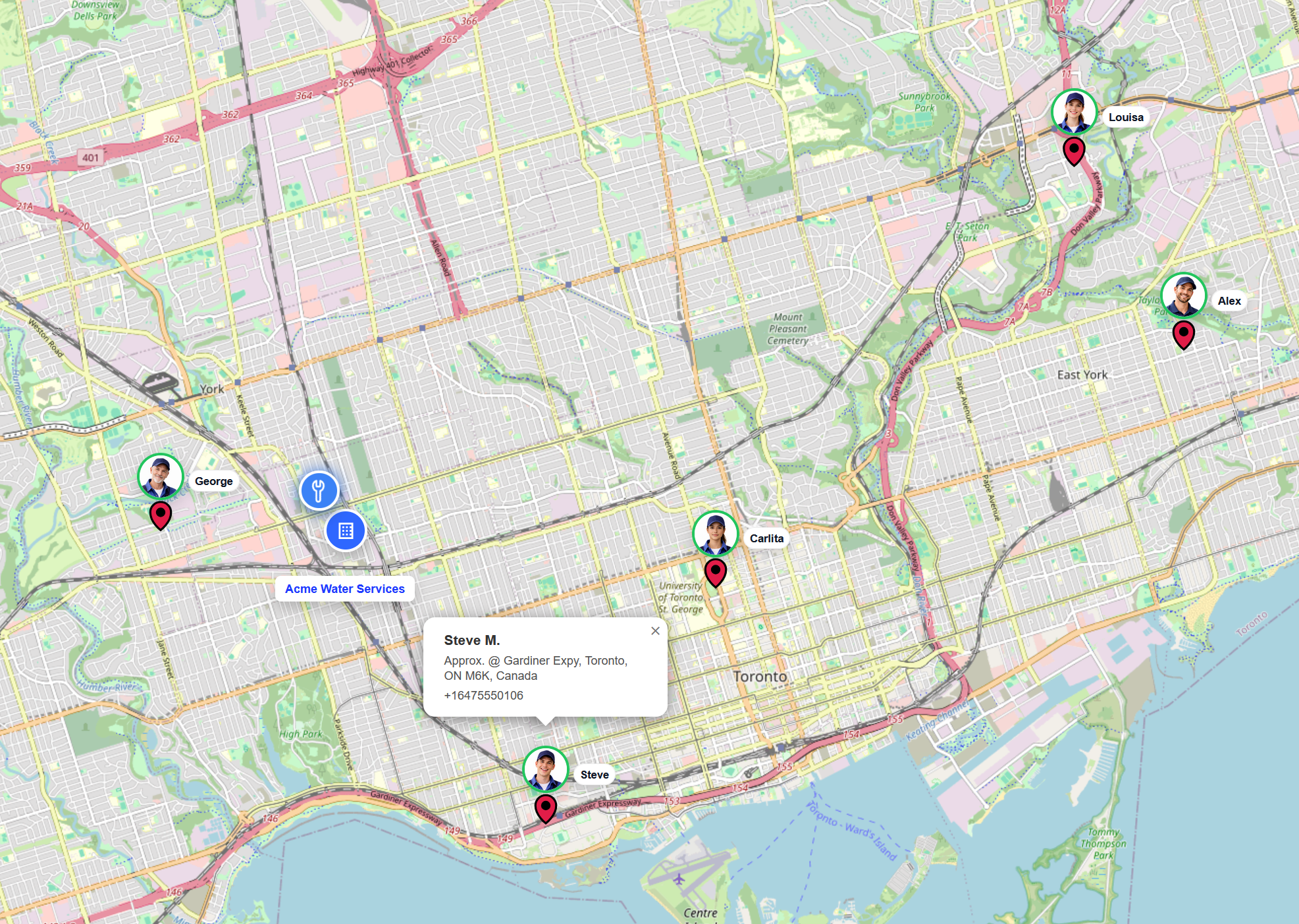
Know where your workers are
One click shows live worker positions (and who’s available).
- See all workers on the map
- Click to message or assign
- Optional “nearest worker” suggestion
Ready to try it?
Start clean with dispatch-first. Add-ons and worker app features can roll in as you grow.